
https://www.scoop.co.nz/stories/HL1707/S00039/duet-display-uses-ipad-to-extend-mac-pc.htm
|
| ||
Duet Display uses iPad to extend Mac, PC |
||
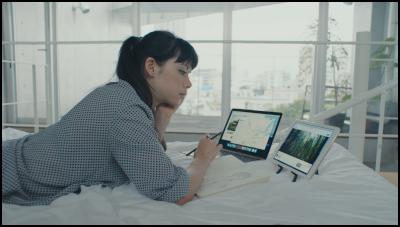
Duet Display started life as an iOS app to turn an iPad into a second screen for a Mac or Windows PC.
It has since moved on. The latest version adds a Touch Bar interface. There's also an optional upgrade that turns an iPad Pro and Apple Pencil into an advanced drawing tablet.
I've been using Duet Display for a couple of years. It was great in its day. There are still times when it comes in handy.
Yet, changes to both Apple operating systems means it's no longer as useful as it was. At least not for my purposes.
Turning an iPad into a second screen is a breeze.
You connect your iPad to a computer using the
charging cable. This may seem odd in an era when everything
is wireless. It turns out having wire between a computer's
USB port and an iPad's Lightning connector gives Duet a huge
advantage. The connection is fast, responsive and reliable.
The two devices act as one.
Duet Display takes no time to set up. It's as easy as connecting the cable. Once connected, the iPad works exactly like you'd expect an external screen to work.
There are settings to fiddle with. My iPad is set up to work a 60 frames per second. There is a slower, more energy-efficient 30 frames per second option.
You can choose between four
different resolutions. The highest Retina resolution on the
iPad uses more power, you can wind it down. If I connect
from my 1440 by 900 pixel MacBook Air there's an option to
mirror the screen.
In practice it pays to tinker with the settings to get everything right. Some of this is a matter of taste. Some of it is depends on the apps you use.
If, say, I run my MacOS Mail app on a 12.9-inch iPad Pro screen at the highest resolution, text is too small to read. It is worth cranking the resolution up that far to work with a graphics app.
Duet Display seems useful for productivity apps. I might have an editor open on the Mac screen and have a research document open on the iPad. This used to be the best way to work.
Today it is often simpler to use the Mac and iPad as standalone devices. Thanks to iCloud it is as easy to have the editor run on the Mac and use, say, Preview, to look at the research document on the iPad. Sharing documents between devices is trivial if you have iCloud.
Duet looks helpful if, say, I'm editing
CSS or HTML and want to see my changes on the page in a
browser. Again, this works as well, maybe better with two
standalone devices.
There are still times when using it as a second screen is a productivity boost. Say, you're working with two word processor documents. Having two open windows in the same instance of the application can be useful if you move text between them. It's a fraction smoother than Apple handing over between iOS and MacOs.
Duet Display brings the iPad's touch screen to the non-touch Mac. There are times when this is useful. MacOS isn't designed for touch, so you won't use it that much.
It also uses the Apple Pencil. Again, there's not much MacOs support, so it's of limited use.
The Mac app is
free. I paid NZ$20 for iOS app. There is a NZ$32 in-app
purchase to unlock the Pro version. That's a lot of money by
iOS app standards. Whether it is worth paying depends on
your needs.
You can use Duet Display with an iPhone, although it's hard to see what benefit there is in having a tiny second screen.
At times Duet Display is useful and powerful. Those times are fewer than in the past. When they come around, it is an ideal and impressive way of solving a problem. It's the kind of software you should know about and file away in your memory until you need it.
Duet Display uses iPad to extend Mac, PC was first posted at billbennett.co.nz.